~/zeroday $

LEARN TO
BREAK
THINGS

ZeroDay Dev is an iPhone cybersecurity learning app — Solidity, Rust, DeFi, AI security, and real exploit practice. Free to start, no account required. Study with 4,000+ challenges, 184+ real-world exploits, Deep Dives, exams, glossary drills, Ops, and War Rooms.

Download on App Store — Free Download on Google Play — Free

Mobile learning for developers and security learners · Offline-first · No ads · No subscription · $4.99 unlocks all

See install and pricing, the iPhone web3 learning app guide, the full feature docs, or Exploit-Data.

Privacy Policy
ZeroDay Dev — Practice exploit challenge (Yearn yETH infinite-mint)
In the app
ZeroDay Dev — Practice exploit challenge (Yearn yETH infinite-mint)
Try the app

Sample ZeroDay Dev

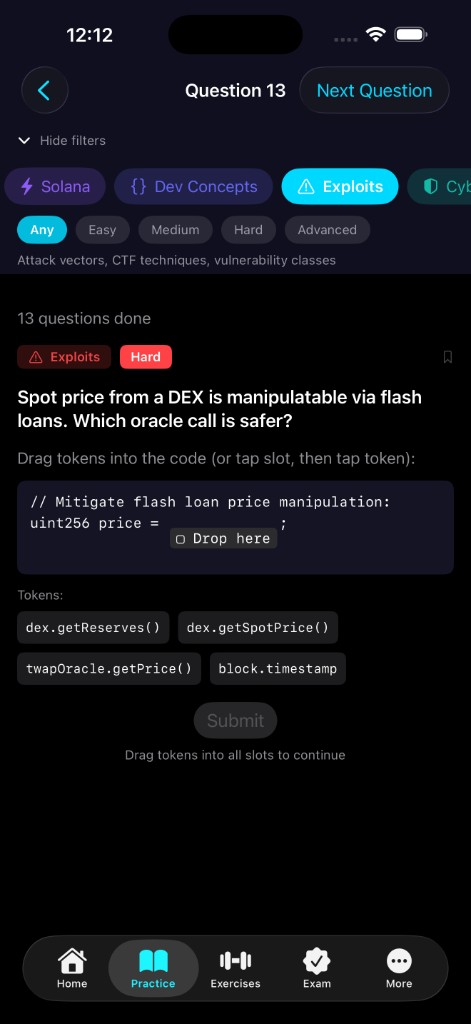
Explore a guided iPhone-style demo: answer a practice question, inspect a real exploit, try a drag-and-drop exercise, open an exam, browse the glossary and references, and peek at a Deep Dive track.

11:47 •••
Download
Widgets

Learn on your Home Screen

  • Recent exploits for quick incident review
  • Glossary terms across domains like Machine Learning, Solidity, and DeFi
  • Tutorial checklists for topics like OpSec and wallet safety
Helpful Prompts

Copy and paste prompts on the go

  • Generic prompt starters users can reuse for audits, code review, exploit analysis, and study sessions
  • Fast copy-paste workflows when someone needs a useful question without writing one from scratch
  • Helpful for turning app context into practical next steps with ChatGPT or other AI tools
On-Chain Guide

On-chain references, fast

  • Browse on-chain reference guides without leaving the learning flow
  • Quickly check network details, concepts, and patterns while reviewing security topics
  • Built to feel like a lightweight field guide when users need grounded context fast
FAQ
Is ZeroDay Dev free to start?
Yes. You can start exploring topics and practice flows before deciding whether to purchase the one-time full unlock.
What does the $4.99 unlock include?
The one-time unlock opens all 10 domains, the full challenge set, exploit drills, Deep Dives, exams, Ops, War Rooms, and glossary content.
Do I need an account?
No. ZeroDay Dev does not require an account to start.
Does it work offline?
Yes. ZeroDay Dev is designed to be offline-first for short study sessions on a phone.
Is the content based on real exploits?
Yes. ZeroDay Dev includes 184+ real-world exploits from protocols and incidents such as Pump.fun, Balancer, Yearn, Beanstalk, Indexed Finance, Wormhole, and Jito.
How do I install ZeroDay Dev?
Use the App Store or Google Play links on this page, or open the install and pricing page for the canonical download flow.
Will I lose progress if I reinstall or change phones?
Progress is stored locally on your device, not in a cloud account. A clean reinstall or a new phone usually starts fresh unless you transfer the app data in a full device backup or migration.
zero-day

A vulnerability unknown to the vendor—they have zero days to patch it before it’s exploited. We teach you to find and fix them before attackers do.