~/zeroday $

LEARN TO
BREAK
THINGS

ZeroDay Dev is an iPhone learning app for web3 security, Solidity, Rust, DeFi, and real exploit practice. Free to start, no account required. Study with 4,000+ challenges, 167+ real-world exploits, Deep Dives, exams, glossary drills, Ops, and War Rooms.

Download on App Store — Free Download on Google Play — Free

Mobile learning for developers and security learners · Offline-first · No ads · No subscription · $4.99 unlocks all

See the iPhone web3 learning app guide, browse the full feature docs, or open Exploit-Data.

Privacy Policy
ZeroDay Dev — Practice exploit challenge (Yearn yETH infinite-mint)
In the app
ZeroDay Dev — Practice exploit challenge (Yearn yETH infinite-mint)
Try the app

Sample ZeroDay Dev

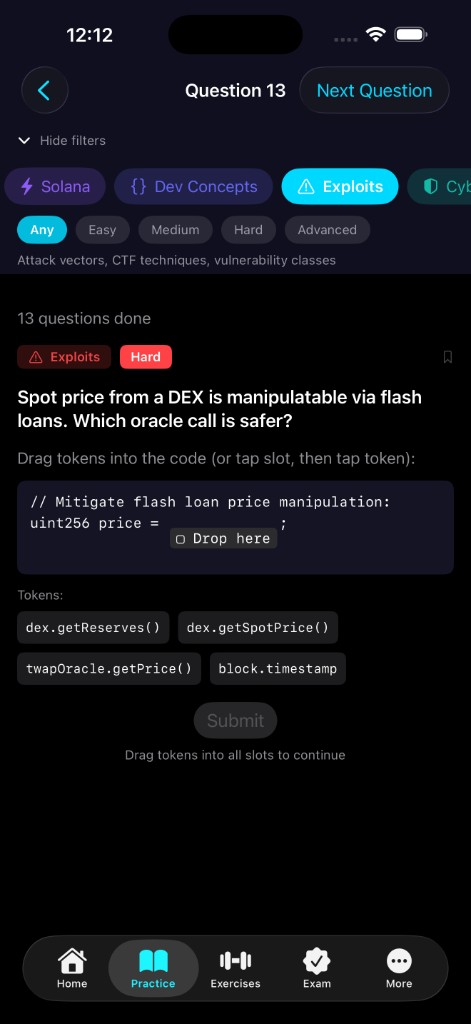
Explore a guided iPhone-style demo: answer a practice question, inspect a real exploit, try a drag-and-drop exercise, open an exam, browse the glossary, and peek at a Deep Dive track.

11:47 •••
Download
Exams

Lightning Round

FAQ
What is ZeroDay Dev?
ZeroDay Dev is an iPhone learning app for web3 security, Solidity, Rust, DeFi, and real exploit practice. It is built for developers who want short, repeatable drills instead of long video courses.
Who is ZeroDay Dev for?
It is for developers, smart contract engineers, security researchers, students, and curious beginners who want to learn in short sessions on a phone.
What can I learn in the app?
You can practice Solidity, Rust, DeFi, exploits, Solana, ZK, trading concepts, and related security patterns through questions, exercises, exams, Deep Dives, and glossary drills.
Is the content based on real exploits?
Yes. ZeroDay Dev includes 167+ real-world exploits from protocols and incidents such as Pump.fun, Balancer, Yearn, Beanstalk, Indexed Finance, Wormhole, and Jito.
Why practice security on a phone?
Phone-first practice works for commutes, downtime, and habit building. The tap-and-drag format lets you build exploit intuition in 5-minute sessions without needing a keyboard.
Will I lose progress if I reinstall or change phones?
Progress is stored locally on your device, not in a cloud account. A clean reinstall or a new phone usually starts fresh unless you transfer the app data in a full device backup or migration.
zero-day

A vulnerability unknown to the vendor—they have zero days to patch it before it’s exploited. We teach you to find and fix them before attackers do.